
Syntax
@function <name>(<params>) {
    result: <value>;
}
After the @function at-rule, you will define the "name" of the function starting with "--" (double hyphen or double dash). Remember, it is "case sensitive".
Example:
<style>
    :root {
        --padding: 50px;
    }

    @function --half(--value) {
        result: calc(var(--value) / 2);
    }

    .container {
        padding: var(--padding);
        background: blue;
        color: white;
    }

    .container-half {
        padding: --half(var(--padding));
        background: green;
        color: white;
    }
</style>
<body>
    <div class="container">
      container 1
    </div>
    <div class="container-half">
      container 2
    </div>
</body>• In the above example, I created a CSS custom property (variable) named --padding, with a default value of "50px".
:root {
--padding: 100px;
}
The --padding variable allows me to apply the same padding value to across multiple elements. Like this:
.container {
padding: var(--padding);
background-color: orange;
}
OR,
div {
padding: var(--padding);
background-color: orange;
}
• Next, I have defined a custom function named "--half".
It accept a parameter "--value" and returns calc(var(--value) / 2)
@function --half(--value) {
result: calc(var(--value) / 2);
}
• Finally, I have defined two classes namely, ".container" and ".container-half". The .container class uses the variable directly. However, the .container-half class calls the "custom function".
So,
.container {
padding: var(--padding);
background: blue;
color: white;
}
returns... 50px
and
.container-half {
padding: --half(var(--padding));
background: green;
color: white;
}
returns... 25px calc(50px / 2)
Similar example: How to Create a Responsive Custom Scrollbar using CSS?
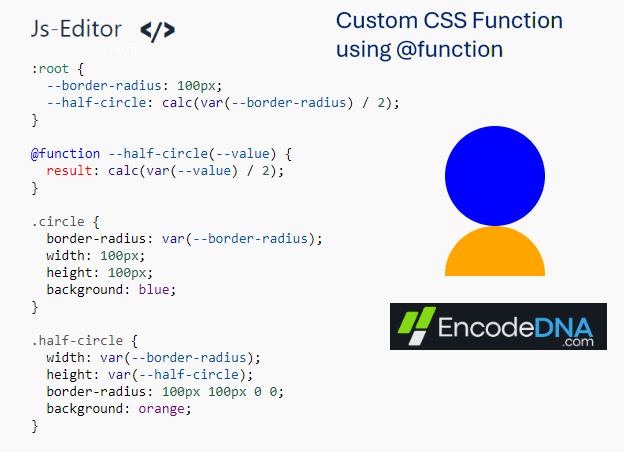
CSS Circle Generator Using @function
Here's another example using CSS @function. This time I am making two circles, one full circle and one half circle.
  <style>
    :root {
      --border-radius: 200px;
      --half-circle: calc(var(--border-radius) / 2);
    }

    @function --half-circle(--value) {
      result: calc(var(--value) / 2);
    }

    .circle {
      border-radius: var(--border-radius);
      width: 200px;
      height: 200px;
      background: blue;
    }

    .half-circle {
      width: var(--border-radius);
      height: var(--half-circle);
      border-radius: 200px 200px 0 0;
      background: orange;
    }
  </style>
<body>
  <div class="circle"></div>
  <div class="half-circle"></div>
</body>👉 Also read: CSS Pseudo-classes with example